
Devlog: Designing a Photography Minigame
Or why I made taking a picture take longer than 1/60s

I used to take a lot of photos. I own a DSLR and a decent collection of lenses, and I know my way around them. I've shot in RAW, painstakingly adjusted white balance and noise reduction, and tweaked settings in post-processing to squeeze out the best possible representation of the scene (at least to my eye). I've also filled hard drives with blurry, out-of-focus, and poorly-timed shots. Taking good photos is tricky and sometimes a little tedious.
I wanted to capture (ha) a little of that in my minigame. Not the “look through 100s of blurry photos hoping one of them turned out” bit, but the spike of excitement when you get the timing right.
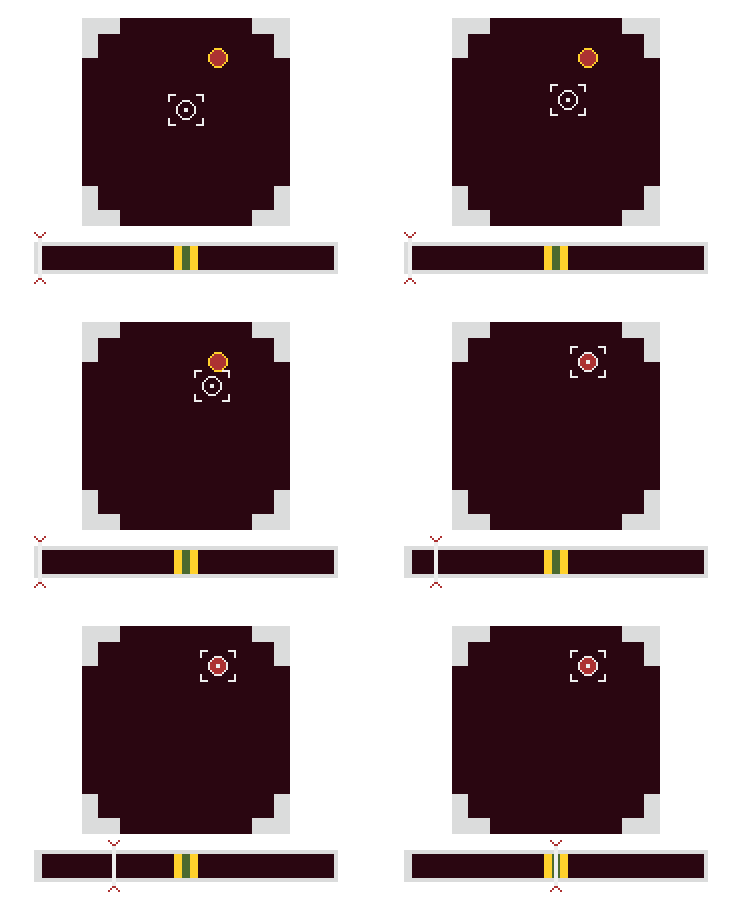
Here’s what I came up with so far:
Early Ideas: Beyond a click
Thinking about how a player will interact with birds in my game, I wanted to make sure to craft a minigame players want to engage with. It can’t be too easy! At the same time, I envision them taking lots of pictures of birds and recording dozens of species, so it also can’t be too involved. Playing checkers against each bird and only getting a good photo if you win would take way too long. I needed balance: something that is fun enough to play, but if you fail you can try again pretty quickly… a little like real digital photography.
Pokémon Safari Zone: My first idea was to interact with a bird and transition to a “battle screen” where you would try to take a picture of the bird. You would “battle” the bird by throwing some bait or try to scare it away. This is similar to the early Pokémon Safari Zone game of throwing rocks or food at the pokemon. I strayed away from that mostly because it seemed like it would be a bit too much like fighting the bird and that clashed with the vibe of the game. I also don’t really recall the Safari Zone being all that fun; in fact it was a pretty frustrating way to get a Scyther.
Inspiration: Fishing and Golf
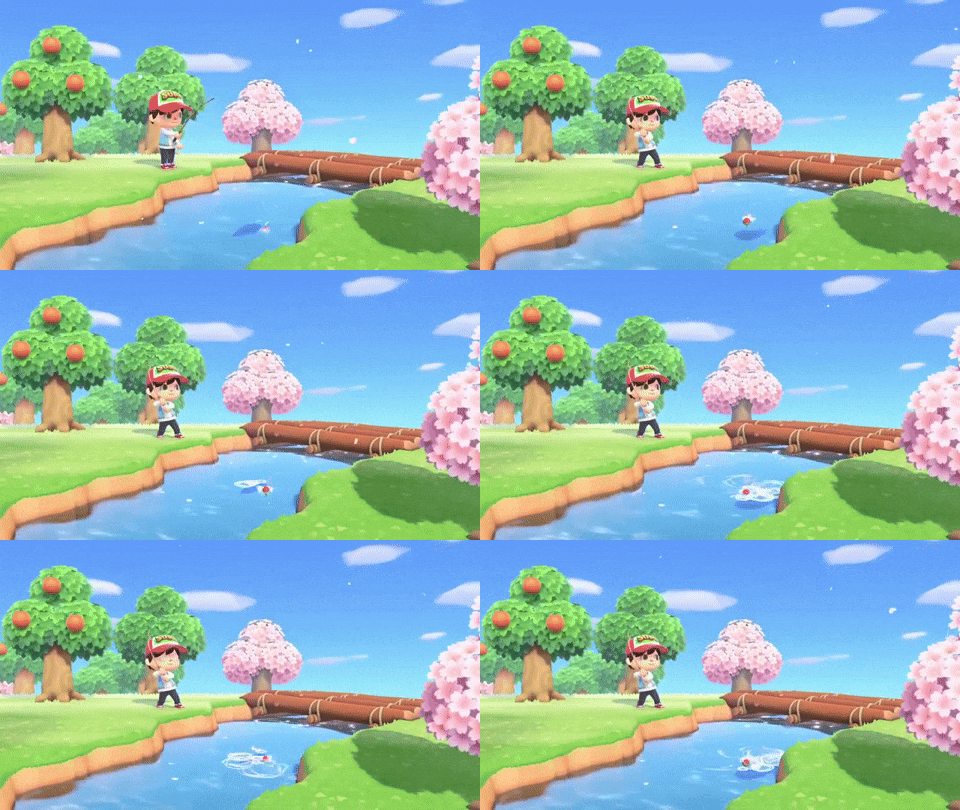
So, I started thinking about other minigames. Fishing is one of the most common minigames that you might encounter, and it’s no surprise why. Casting, anticipating a bite, and reeling in are all great mini-mechanics to iterate on.
A golf-swing is another minigame I considered. Maybe I’m nostalgic for the hours spent playing Mario Golf or the unknown “realistic” golf game I played on a friend’s dad’s quanset PC covered in a thin layer of wheat chaff, but that “three-click” minigame stuck with me.
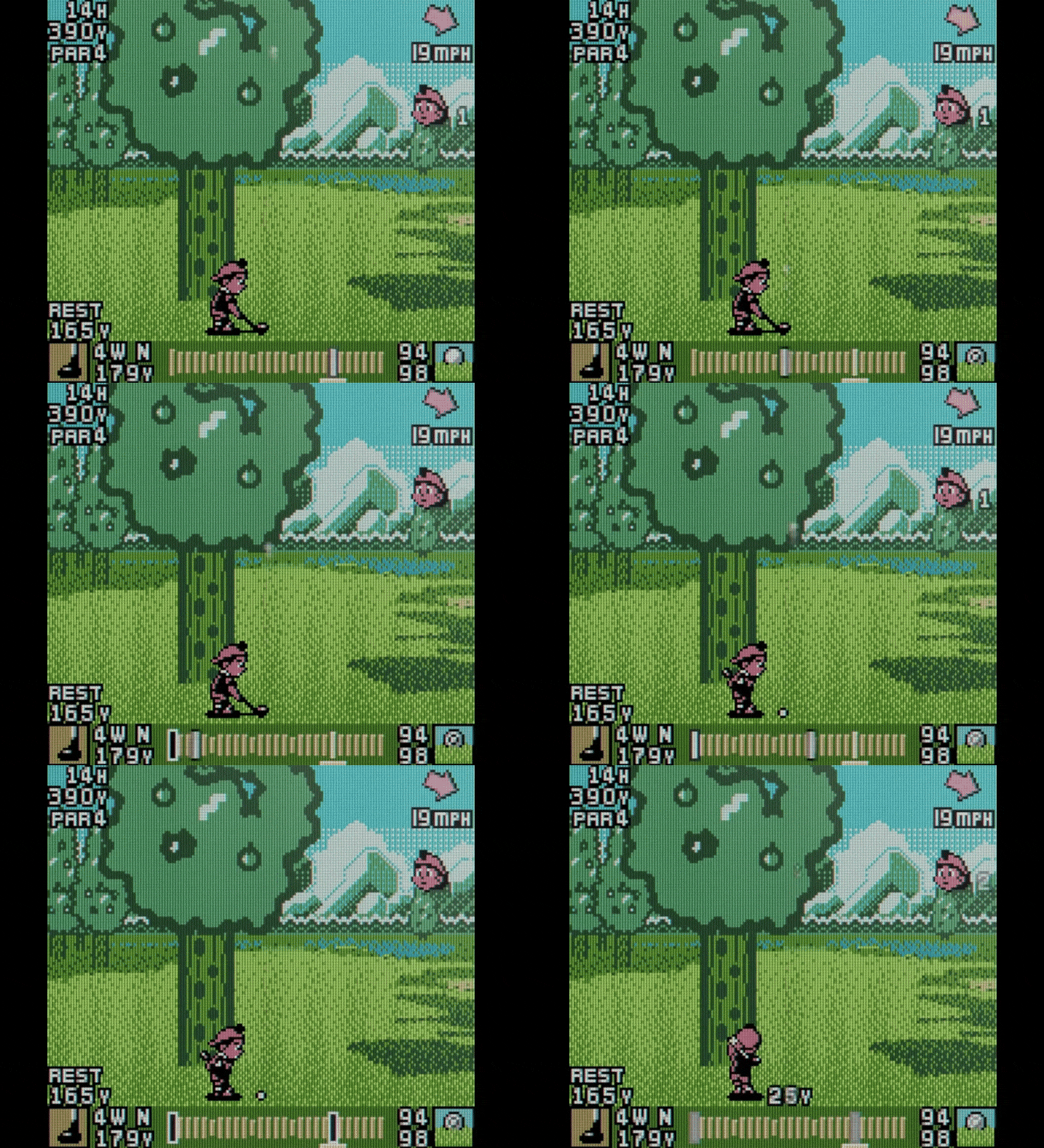
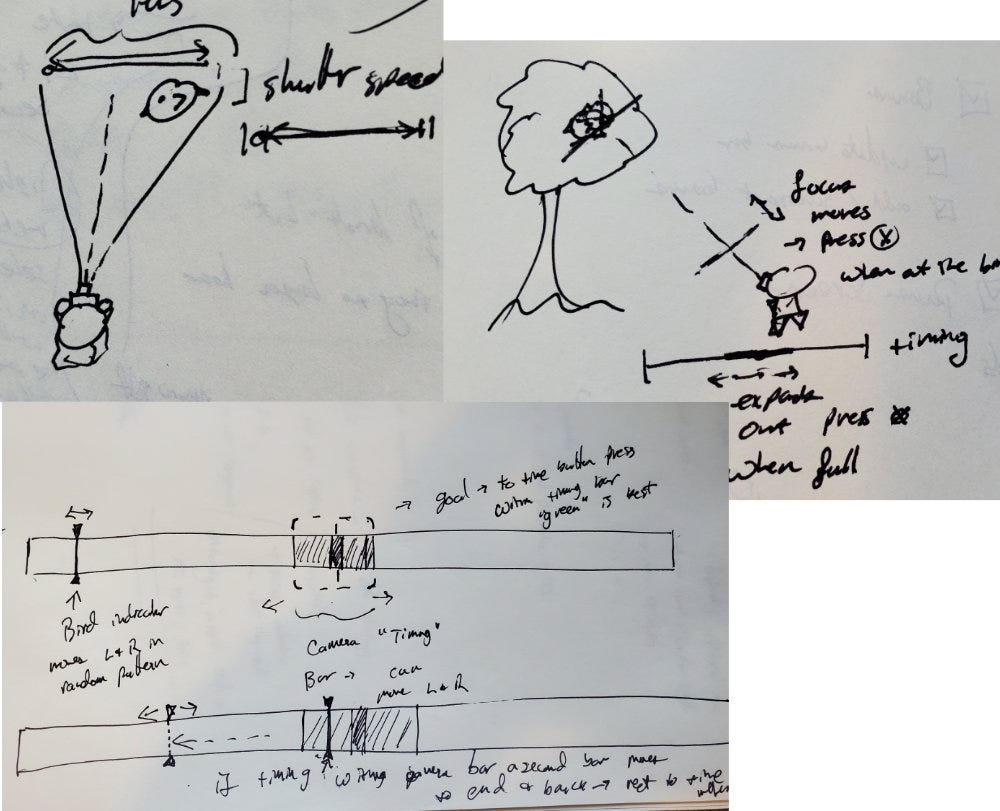
I thought maybe I could adapt this “three-click” golf experience to match a photo-taking mechanic. One click might determine the focus, and one might determine the timing (the first click is to start the indicator moving). Below are some really rough sketches I made thinking about where such an indicator would go. It could be part of the UI or part of the overworld. I liked the idea of putting it in the overworld and having it be part of capturing the bird or next to your character sprite:
First In-Game Mechanic
I sketched out a few of these click mechanics, but they didn’t make it to the actual typing-out-code stage. The first one I actually put into the game is below:
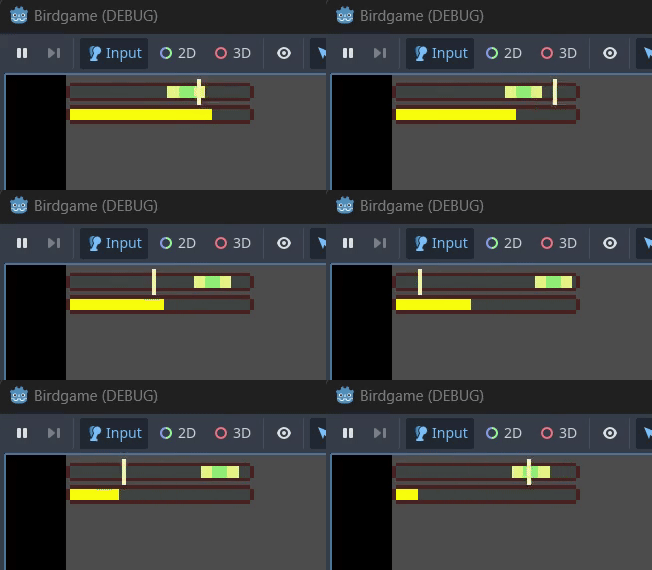
It was inspired by the three-click golf mechanic, but with a bit of a twist: the optimal zone could move. I also had some code where the green zone could move back and forth within the yellow zone, but it seemed confusing for a first try, so I left it out. The indicator on the bottom showed the time remaining to line up the shot.
This… didn’t work very well. Let me enumerate the issues I found:
I just clicked the first time the indicator crossed the green zone. I never really let it continue to bounce off the right side and back. This meant the time remaining was irrelevant.
So was the moving bar. If I click as soon as the indicator crosses the green, it’s just visual noise to have both moving relative to each other. It’s clearer what’s going on if just one moves. That might be different if I was trying to keep them aligned for some amount of time (like Stardew Valley fishing mechanic), but since I’m clicking once, it doesn’t work.
It was too small on screen. Having it part of the overworld might work if it takes up a large portion of the screen, but since I have a pixel art asethetic, the character is relatively small so this indicator was also small. It made timing difficult since your eyes first had to find the bar, then process the timing.
It was over too fast. If I did get the timing right it was just one click and done. There wasn’t much engagement. It wasn’t totally unsatisfying when I got it right, but it didn’t feel any more challenging than clicking to swing a sword at the right time or shoot a bow a single time. It needed something more.
Incorporating aiming
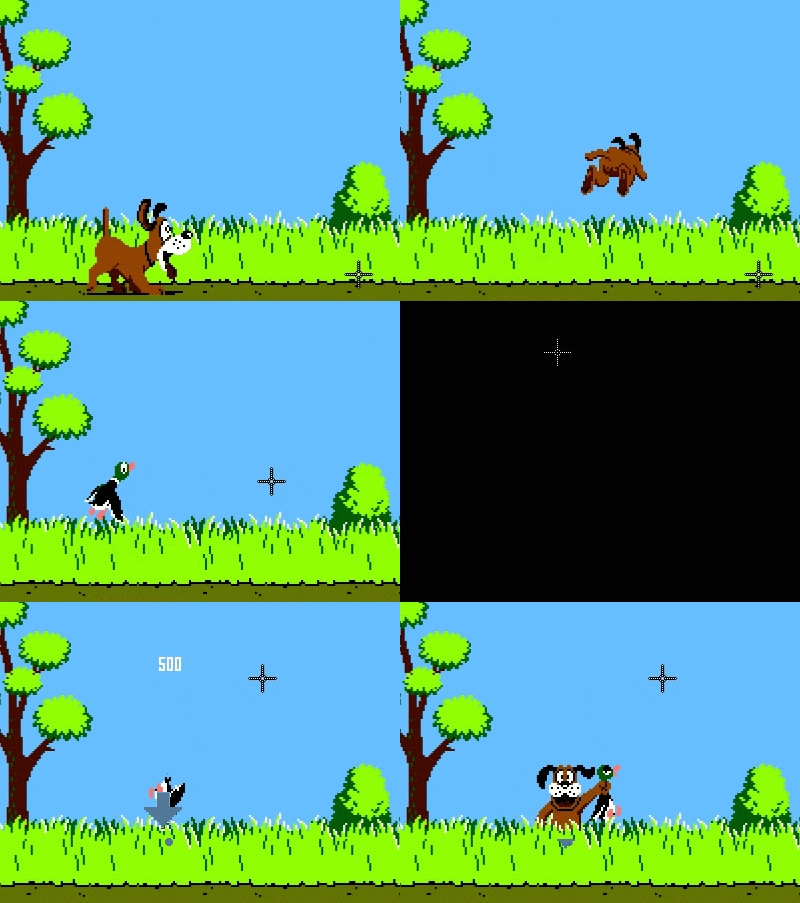
I wanted to incorporate a little more “aim then shoot” mechanic. (Keeping in mind “shoot” is just capturing a picture… disregard the Duck Hunt GIF.) I couldn’t think of very many games that do this as a minigame, but there are enough shooters out there that the concept isn’t hard to visualize. In a video game, shooting a bird with a camera is mechanically the same as a 2D shooter. So I channeled my inner Goldeneye and sketched out this incomprehensible mechanic:
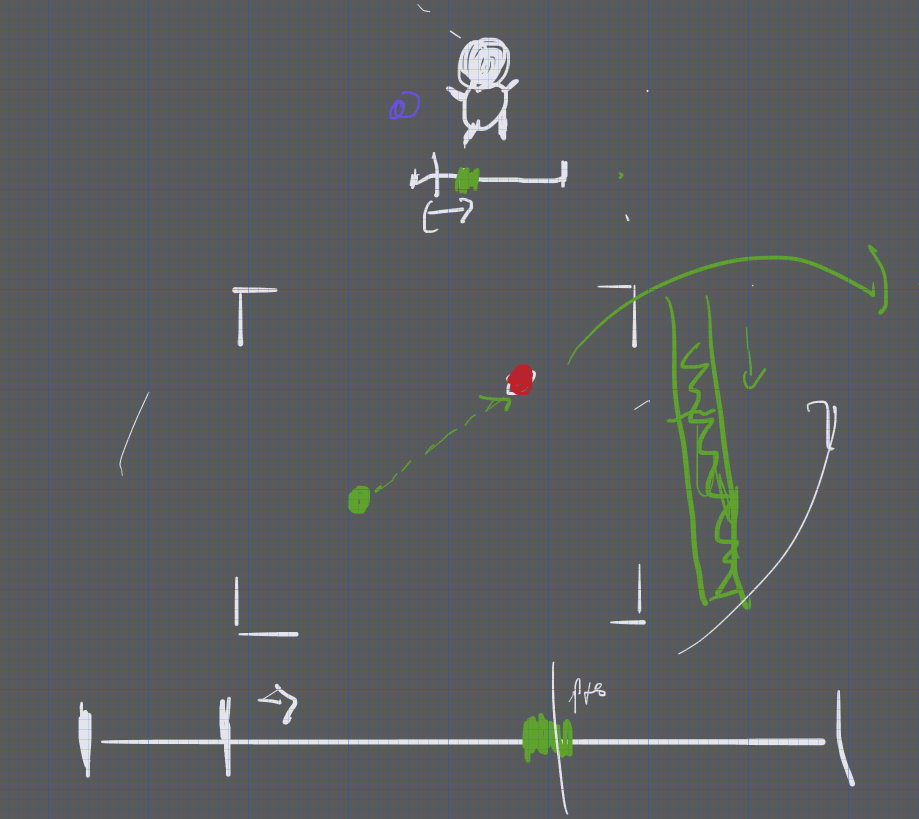
This idea has two parts — first you line up the reticle with the target (then click). Then the timing bar moves quickly across the bottom and you need to click at the appropriate time. You have a limited time to line up the shot and only get one chance to click for timing. It feels a little more engaging than a single click, but it doesn’t take more than 2-3 seconds so you’re back to the overworld quickly. So far I am enjoying this mechanic the most. The art right now is just very basic squares as I continue to test the feel. I’ll be spending time on art once I like the way the game plays.
This mechanic is still very much a work in progress, but I think there’s potential. The big red dot can move slightly for hard-to-capture birds, points can be given for how close to the targets you are able to get, and I can incorporate elements of the surroundings to obscure part of the aiming square (e.g. if the bird is in cover, the square could be partially covered in leaves). All in all this is part of the process, but I’m happier with how this is coming along and I’m interested to get some feedback once I get enough of the game together that I can share a demo.
More updates soon and if you have other ideas or inspiration for a photo mechanic I’d love to hear it!